
Getting started
1. Install
Download the binary for your platform from Downloads and put it on your PATH:
sudo install -m 0755 shipyard-linux-amd64 /usr/local/bin/shipyard
One file holds the API, the worker and the console.
2. Configure
Create .shipyard.yaml in the directory you will run Shipyard from:
listen: 127.0.0.1:8080
projects:
  - id: my-app
    repository: you/my-app
    enabled: true
    issue_label: agent-ready
    release_interval: 48h
    content:
      interval: 168h
      publish_mode: pull_request
runtime:
  embedded_worker: true
  api_token_env: SHIPYARD_API_TOKEN
pipelines:
  project-check:
    steps:
      - id: config
        type: diagnostic
        timeout: 30s
Every key is described in the configuration reference.
3. Start
export SHIPYARD_API_TOKEN=$(openssl rand -hex 32)
echo "$SHIPYARD_API_TOKEN"   # you will paste this into the console
shipyard -config .shipyard.yaml
Shipyard creates ./data/shipyard.db and ./data/logs/ on first start. Check it:
curl http://127.0.0.1:8080/healthz
4. Open the console
Open http://127.0.0.1:8080, click Read-only in the top bar and paste the token. The indicator turns to Connected.
5. Queue a run
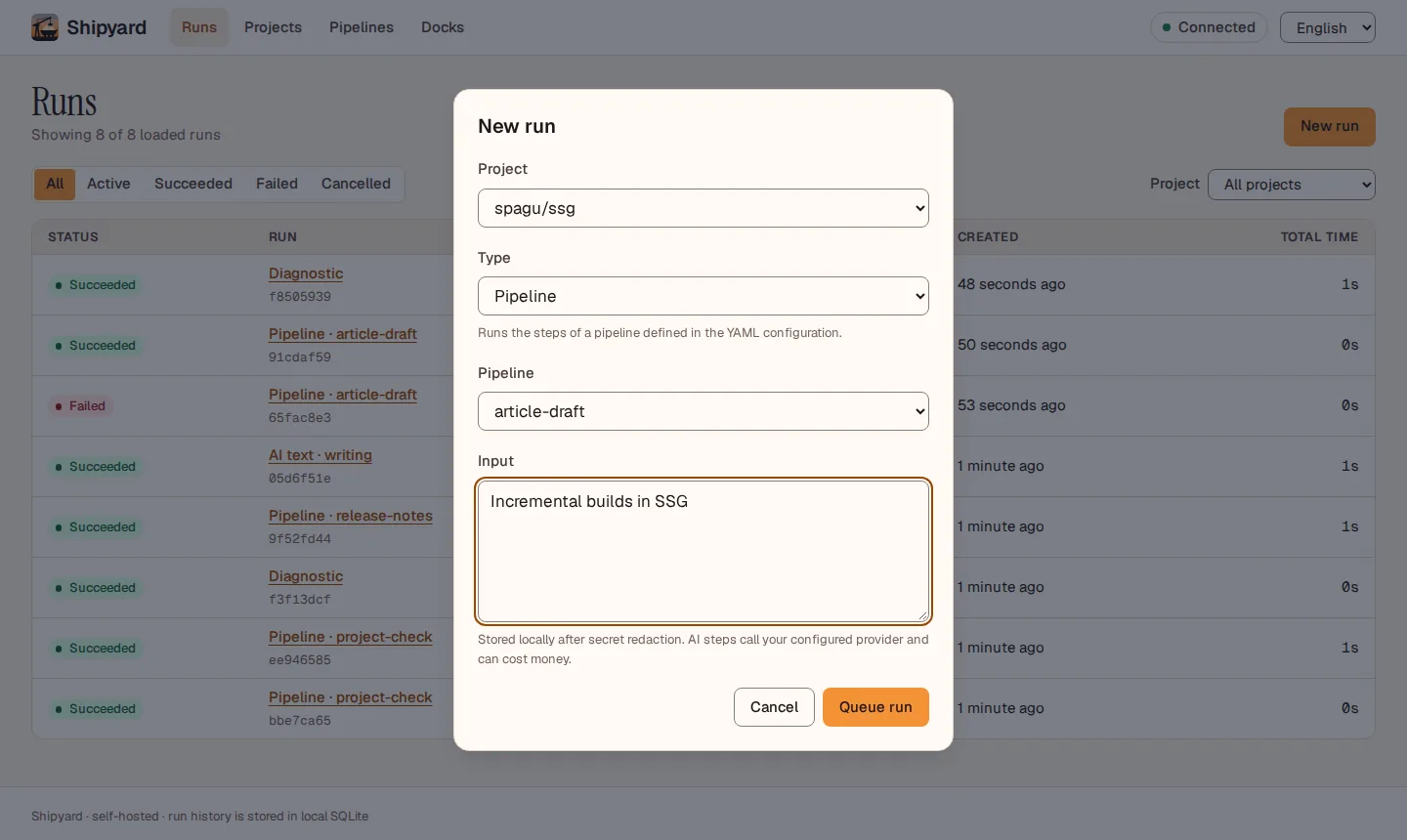
Click New run, pick your project, choose Pipeline → project-check and Queue run. The run appears at the top of the list; click it to follow its log.
Next: the console in detail, pipelines, run work on other machines, or run it as a service on a Raspberry Pi.